Fwd: FW: [SUPPORT #73530] Request from ATRT 2

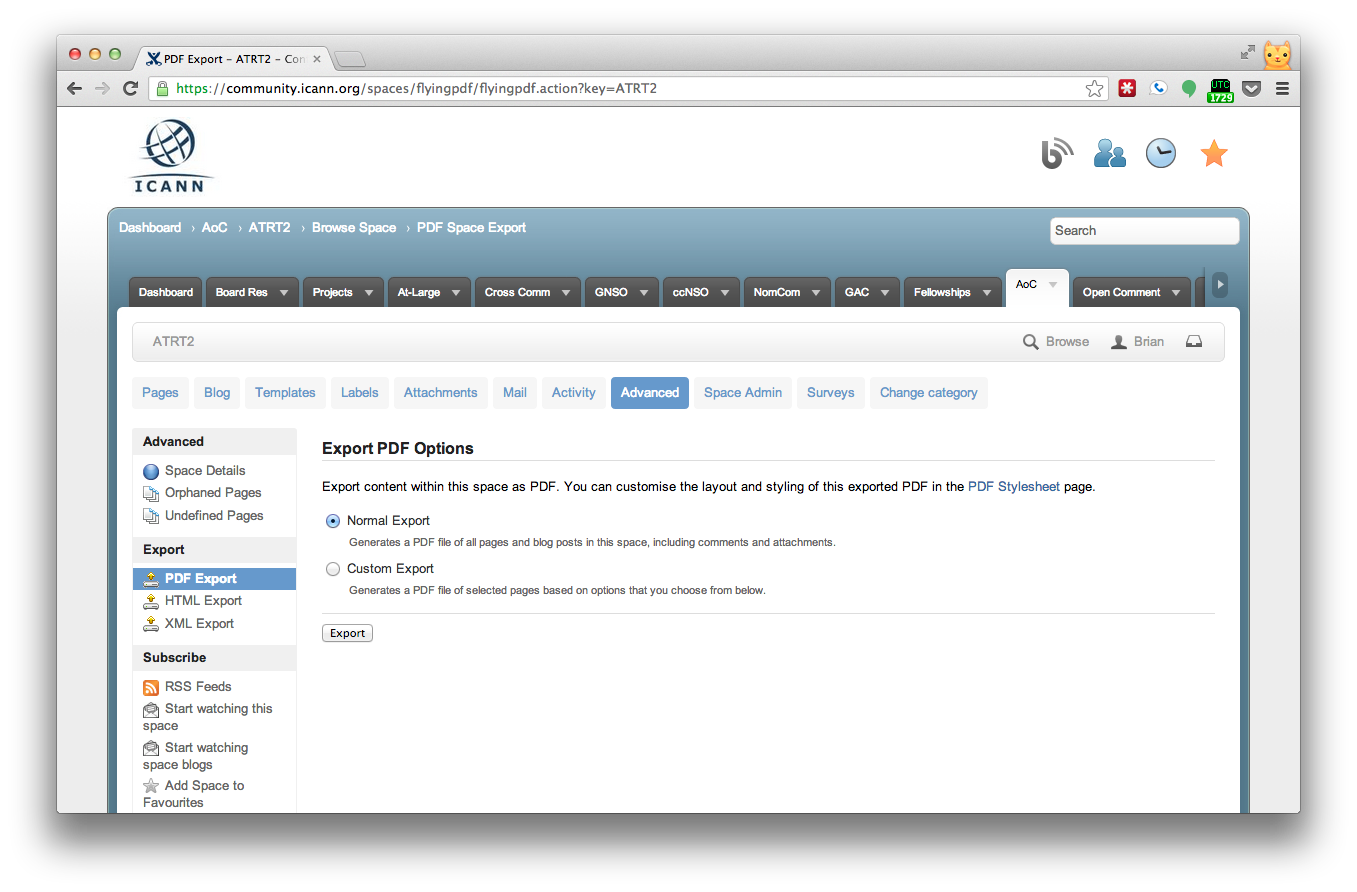
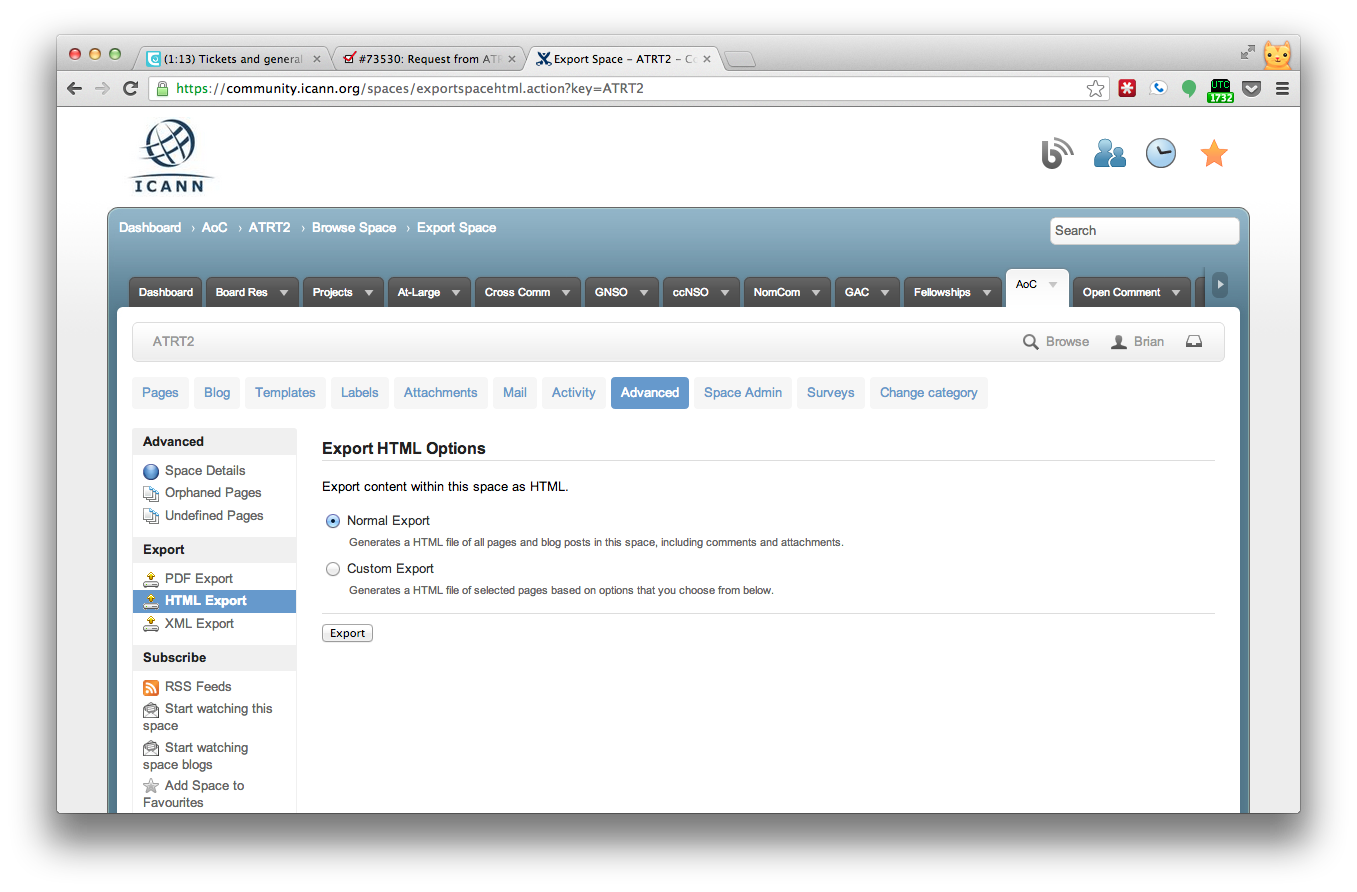
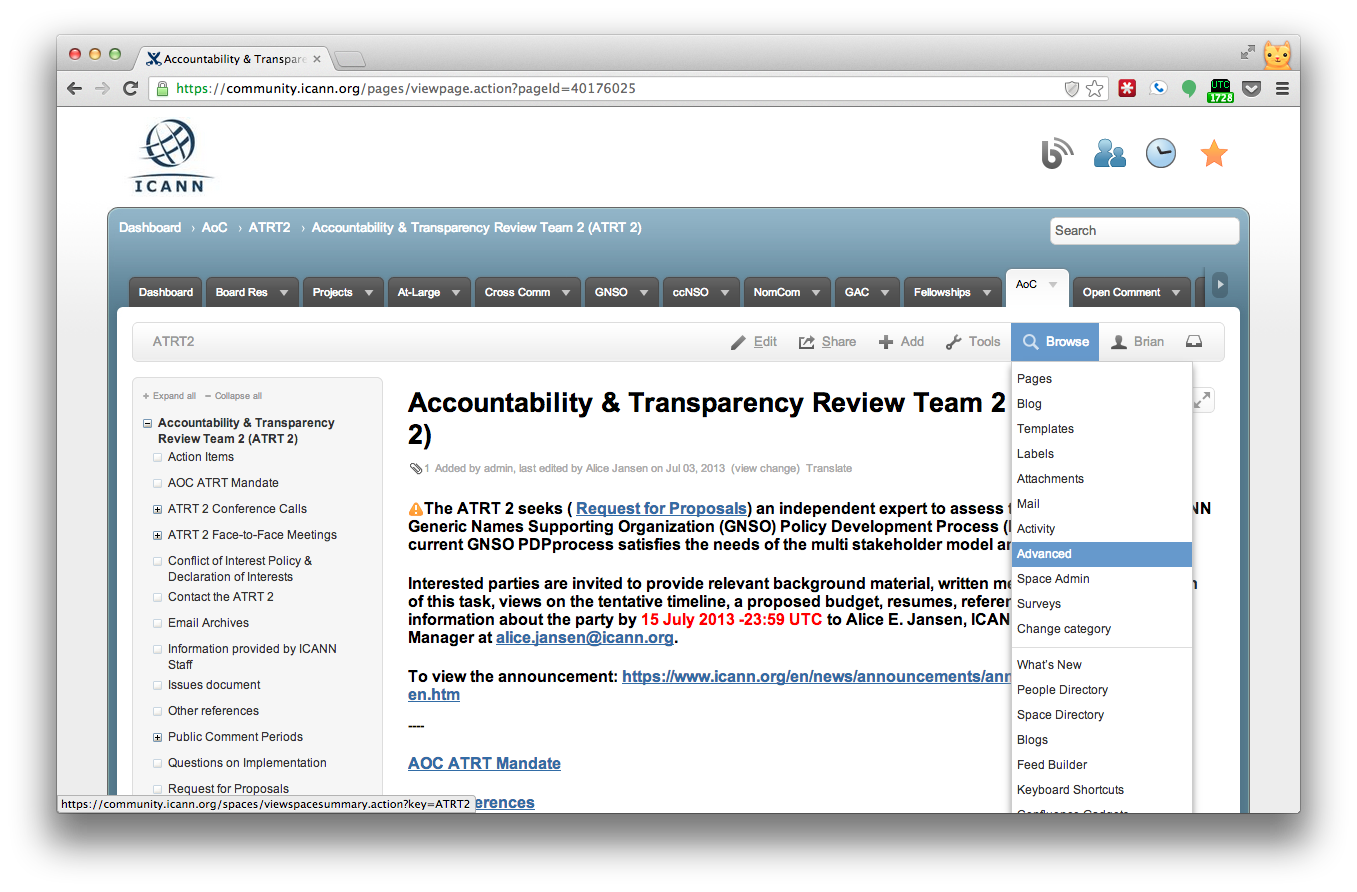
Hello All, Yaovi mentioned the exporting of complete spaces if you are a "space admin" on the WIKI. It appears that this is enabled. Please be so kind to find an answer from IT below. Kind regards, Olivier -------- Original Message -------- Subject: FW: [SUPPORT #73530] Request from ATRT 2 Date: Fri, 5 Jul 2013 11:12:42 -0700 From: Larisa B. Gurnick <larisa.gurnick@icann.org> To: Olivier MJ Crepin-Leblond (ocl@gih.com) <ocl@gih.com> CC: Alice Jansen <alice.jansen@icann.org> Olivier, Here is the information that you had requested. Given that these options may not be as simple as you would like, your best option may be to use internet access on the flight, as this functionality is now being offered by several airlines. Best regards, Larisa -----Original Message----- From: Brian Martin via RT [mailto:tech-support@icann.org] Sent: Friday, July 05, 2013 11:02 AM To: Larisa B. Gurnick Subject: [SUPPORT #73530] Request from ATRT 2 Hi Larisa, There are multiple ways that you can do this, though none of them will present a user friendly way to access them offline. Method 1) Go to the ATRT2 space and from the Confluence menu and select Browse > Advanced. On the left hand side, select PDF Export. Use the default settings and select Export. It will export the pages and then allow you to download the PDF. This is the best way to export the pages, but it won't give you all the attaches. I attached screen shots to do this. Method 2) Go to the ATRT2 space and from the Confluence menu and select Browse > Advanced. On the left hand side, select HTML Export. Use the default settings and select Export. It will export the pages and then allow you to download a zip of the HTML. This way will export each page, which you have to pen manually with a browser. It also exports the attachments, but not in a easy to access way. Method 3) Go to the specific ATRT2 page in your browser. From the web browser menue, select File > Save Page As > Webpage Complete. This will save an offline full HTML page of only the page you are on. This is the most tedious method as you would need to do it from every page you wanted to go to. Method 4) There may be a way to view them using a third party browser extension, such as Pocket or Send to Kindle, however I have not had good luck with them saving our wiki pages. -brain On Fri Jul 05 05:20:01 2013, larisa.gurnick wrote:
Members of the Accountability and Transparency Review Team are seeking a solution that will help them access the documents on the ATRT 2 wiki pages in an offline mode. Is there software that could perform this and allow them to go through the WIKI pages and all attached documents stored there, offline? Alternatively, can you suggest an efficient method for saving attachments posted on the WIKI onto members' hard drives/devices? They would like to have access to the WIKI pages and documents while in flight to Durban.
Thank you,
Larisa B. Gurnick Consultant/Senior Director, Organizational Reviews Internet Corporation for Assigned Names and Numbers (ICANN) larisa.gurnick@icann.org<mailto:larisa.gurnick@icann.org> 310 383-8995
participants (1)
-
 Olivier MJ Crepin-Leblond